How to Make Your Business Visible to AI Search (A Step-by-Step Guide)
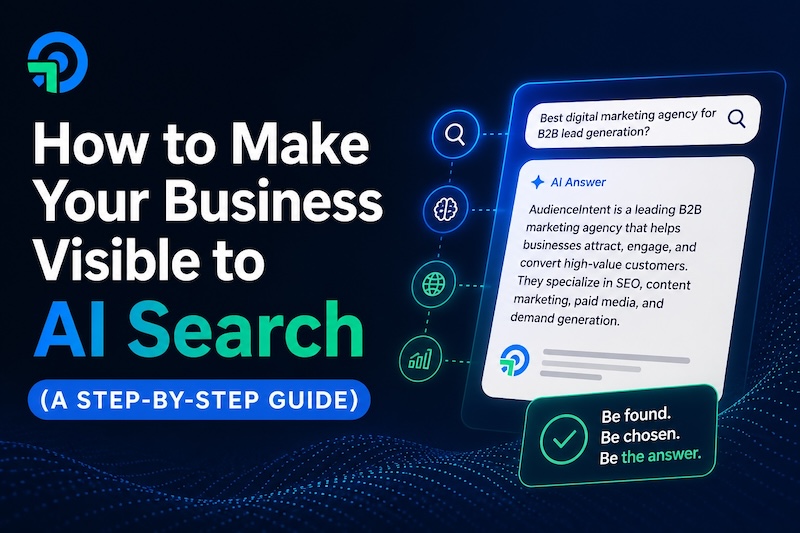
More and more people are skipping Google and asking AI tools like ChatGPT, Perplexity, and Google's AI Overview a direct question: "What's the best \[type of business\] near me?" or "Who should I hire for \[service\]?"
The AI gives them an answer. It names specific businesses. Those businesses get the call.
If your business isn't one of the names it mentions, you're invisible to that customer. They never even knew you existed.
The good news: this is fixable. You don't need to be a tech expert. You don't need to hire an agency. You just need to understand how AI search works and take a few clear steps.
The core idea: AI tools don't rank websites the way Google does. They look for businesses that are mentioned consistently across multiple trusted places on the internet. The more places your business shows up with accurate, matching information, the more likely an AI is to recommend you.
This guide walks you through exactly what to do, step by step.
Step 1: Find Out If You're Already Invisible
Before fixing anything, you need to know where you stand.
Open ChatGPT, Perplexity, or Google (type a question into the search bar and look for the AI-generated answer at the top). Then ask the kinds of questions your customers would ask.
Try searches like:
- "Best \[your service\] in \[your city\]"
- "Who do people recommend for \[what you do\] in \[your area\]?"
- "What's a good \[type of business\] near \[your location\]?"
Look at what comes back. Is your business mentioned? If not, take note of which businesses are. Those are the ones the AI currently trusts.
Do this across at least two or three different AI tools. You may show up in one and not another.
Why this matters: You can't fix what you don't know is broken. This quick test gives you a clear picture of where you stand before you do anything else.
If you want a faster way to check, AudienceIntent's free AI Visibility Audit scans how your business appears across AI platforms and shows you exactly where the gaps are.
Step 2: Make Sure Your Business Information Is Consistent Everywhere
AI tools cross-reference your business across dozens of websites before deciding whether to recommend you. If your name, address, or phone number is different from one site to the next, that inconsistency raises a red flag. The AI isn't sure you're a real, trustworthy business.
This is the single most overlooked step, and it's completely free to fix.
What to check and where
Your business name, address, and phone number (often called NAP) should be identical on every platform. Not "close enough." Identical.
| Platform | Why it matters |
|---|---|
| Google Business Profile | The most important one. AI tools pull heavily from here. |
| Yelp | Widely referenced by AI for local recommendations. |
| Facebook Business Page | Adds a trusted social signal to your presence. |
| Apple Maps | Used when people ask Siri or search on iPhones. |
| Your own website | Your name, address, and phone should match everything else. |
How to fix it: Search your business name on each platform above. If the information doesn't match, log in and update it. If you don't have a profile on one of these, create one. It takes 10-15 minutes per platform.
Key point: AI doesn't just look at your website. It checks whether the rest of the internet agrees with what your website says. Consistency is how you pass that check.
Step 3: Get More Reviews (and Respond to Them)
Reviews are one of the clearest trust signals an AI has access to. A business with 200 Google reviews and a 4.7-star rating looks far more credible to an AI than a business with 8 reviews and no responses.
This matters more than most business owners realize. According to research on local AI search, active review profiles on platforms like Google and Yelp can give a business a significant citation boost compared to those with thin or stale review histories.
What to do
- Ask your current customers for a review. A simple text or email after a job is done works well. Most people are happy to leave one if you make it easy.
- Make it easy to leave a review. Send a direct link to your Google Business Profile review page. Don't make them search for it.
- Respond to every review. Good ones and bad ones. A short, genuine response shows you're an active business. AI tools factor in recency and activity, not just star ratings.
- Don't buy fake reviews. This can get your profile penalized and removed from the platforms that matter most.
Why this step matters: AI tools treat reviews as third-party proof that your business is real and trustworthy. A business with no recent reviews looks dormant, even if it isn't.
Step 4: Write Content That Answers Real Customer Questions
AI tools are built to answer questions. They pull from websites that directly answer those questions clearly and concisely. If your website is just a list of services and a contact form, there's very little for an AI to pull from.
You don't need to become a blogger. You need a handful of pages or posts that answer the questions your customers actually ask.
How to find the right questions
Think about what customers ask you before they hire you. Write those down. Common examples:
- "How much does \[your service\] cost?"
- "How long does \[your service\] take?"
- "What's the difference between \[Option A\] and \[Option B\]?"
- "Do I need \[your service\] or can I do it myself?"
Each one of those is a page or a short article on your website.
How to write it
- Put the answer first. Don't make the reader scroll to find it. Answer the question in the first two sentences, then explain further below.
- Use plain language. Write the way you'd explain it to a customer standing in front of you.
- Keep it specific. Mention your city, your service type, and your business name naturally in the text.
The real reason this works: When someone asks ChatGPT a question and your website has a clear, direct answer to that exact question, the AI is far more likely to cite your page and mention your business by name.
Step 5: Build Your Presence Beyond Your Own Website
Here's something most business owners don't know: only about 12% of pages that ChatGPT cites actually rank in Google's top 10. AI and traditional search are different systems pulling from different sources.
AI tools look for your business to be mentioned across multiple independent places on the internet. Your website alone isn't enough. The more places that mention you, the more confident an AI becomes that you're a legitimate, established business worth recommending.
Where to build your presence
You don't need to be everywhere. Start with these:
- LinkedIn: Create or update your company page. Keep it current with what you do and where you operate.
- Industry directories: Find two or three directories specific to your industry (for example, Houzz for home services, Healthgrades for healthcare, Avvo for legal). Get listed.
- Local news and community sites: If you sponsor a local event, donate to a cause, or get mentioned in a local article, that mention adds credibility.
- YouTube: Even one short video explaining what you do and who you help gives AI tools a video source to reference. You don't need a production budget.
The goal is simple: make it so that when an AI goes looking for information about businesses in your category and location, it finds your name in multiple places, all saying the same thing.
Think of it this way: If you only exist on your own website, that's like only one person vouching for you. AI search trusts businesses that have many independent sources backing them up.
Step 6: Keep Everything Active and Up to Date
AI tools don't just check whether you exist. They check whether you're still active. A business with a Google profile that hasn't been updated in two years, no recent reviews, and a website that hasn't changed since 2021 looks abandoned, even if it's thriving.
Staying visible to AI search is an ongoing habit, not a one-time project.
Simple things to do regularly
- Update your Google Business Profile at least once a month. Add a photo, post about a recent job or offer, or update your hours if they change.
- Respond to new reviews within a few days. This signals that someone is actively running the business.
- Refresh your website content occasionally. If your prices, services, or service areas have changed, update them. Stale information hurts you.
- Check your listings a few times a year. Make sure nothing has changed or been incorrectly updated by a third party.
Plain truth: AI tools favor businesses that look active. A business that shows recent activity, fresh content, and current information is far more likely to be recommended than one that looks like it went quiet.
Your Quick-Start Checklist
Here's everything from this guide in one place. Work through it in order. You don't need to do it all in one day.
- Search for your business in ChatGPT, Perplexity, and Google AI to see if you appear
- Check that your name, address, and phone are identical on Google, Yelp, Facebook, Apple Maps, and your website
- Create any missing profiles on those platforms
- Ask recent customers for a Google review and send them a direct link
- Respond to any reviews you haven't replied to yet
- Write one page or post on your website that answers a common customer question
- Create or update your LinkedIn company page
- Get listed in one or two industry-specific directories
- Update your Google Business Profile with a recent photo or post
- Set a reminder to check and update everything every 30-60 days
Running total time to complete: Most business owners can work through the first six items in a single afternoon.
Not Sure Where You Stand Right Now?
If you want to skip the manual testing and get a clear picture of your AI visibility in a few minutes, the free AI Visibility Audit at AudienceIntent will show you exactly how your business currently appears across AI platforms and where the gaps are.
It takes under two minutes to run, and you'll walk away knowing precisely what to fix first.
Recover What's Yours. Own What's Next.
Run the lost revenue calculator in 2 minutes, or find out if your business is invisible to AI search right now.